
Vigilant Network Control

Every Flow Commanded.
Every Threat Contained.

Discover every device on your internal network. Automatically scan protected endpoints for vulnerabilities. Prioritize by what attackers actually exploit. One platform. Every device. Zero blind spots.

Cybersecurity dashboard UI titled Dashboards; tabs include Overview… Vulnerabilities (selected). Open vulnerabilities chart and Top 10 risky apps table

Today's Reality

01
Man in gray sweater with white earbuds using an open dark laptop indoors; faint “4.5” marker and dotted panel overlay

Visibility

Watch Every Flow in Real Time

Vigilant Network Control continuously analyzes all inbound and outbound communications across every endpoint, giving you complete, live oversight of exactly what's moving through your network.

  • Continuously monitor inbound and outbound traffic across all endpoints

  • Gain real-time oversight of every data flow on your network

  • Surface unusual communication patterns the moment they appear

02
Security dashboard “Dashboards” with tabs (Vulnerabilities selected), “Last year” filter, three donut summary cards and a table of CVEs and scores

Enforcement

Policy That Adapts Automatically

Dynamically apply security policies based on device location, user role, or connection type — tightening controls on public networks and easing them inside trusted environments, all without lifting a finger.

  • Enforce access dynamically by location, user role, or connection type

  • Location-aware policies tighten automatically off-site and on public networks

  • Manage native OS firewalls on Windows, macOS, and Linux — no extra software

03
Dark security dashboard in a browser showing “Vulnerabilities” with a filter bar, CVE/severity chips, and a table listing assets and “Critical” alerts

Control

Command Traffic Down to the Detail

Define exactly what's permitted and what's blocked with granular IP and FQDN-based rules, all managed from one centralized, easy-to-use list of allowed and blacklisted communications.

  • Set granular rules for permitted and blocked traffic, by IP and FQDN

  • Manage allowed and blacklisted communications from one central console

  • Protect against unauthorized communications with a simple, clear interface

04
Man with laptop on light green sofa in bright lobby; translucent overlay lines and faint “Oct. 2014” text near right center

Response

Stop Lateral Movement Instantly

The moment a threat is detected, Vigilant Network Control isolates the affected endpoint automatically — cutting off an attacker's path across your network with minimal human intervention.

  • Detect anomalies with behavioral analytics and AI-driven threat intelligence

  • Automatically isolate compromised endpoints to stop lateral movement

  • Contain threats in real time with minimal human intervention

Decorative background gradient

Get Started

Symmetrical 3D geometric open box of glossy translucent panels around a glowing light-blue cube on a white background

Use Cases

One Agent. Multiple Outcomes.

Know what is connected.

Build context around managed and unmanaged devices across your environment.

Managed Endpoints

Managed Endpoints

Review network context for devices already known to your organization.

Explore the Platform
Distributed Workspaces

Distributed Workspaces

Understand connections across office and remote working environments.

Explore the Platform
Unmanaged Devices

Unmanaged Devices

Investigate network equipment and devices outside your managed fleet.

Explore the Platform

Network control in practice

Know your devices. Control their connections.

Vigilant Network Control helps security teams understand connected devices, review trust, and manage connections around the needs of their environment.

  1. 01

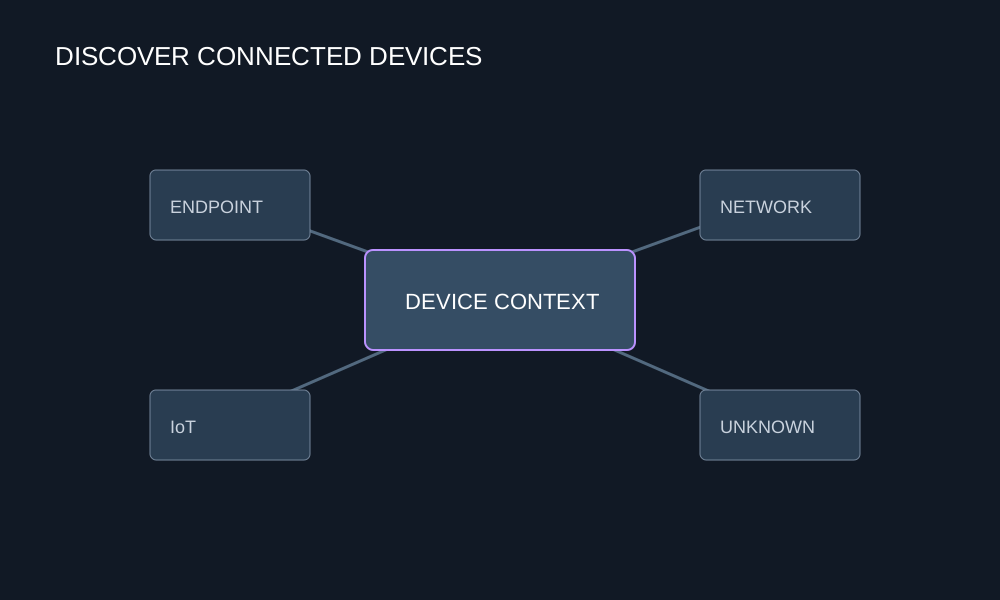
    Discover

    Identify connected devices and review the context around managed, unmanaged, and unfamiliar assets.

    Network map connecting endpoints, IoT and unknown devices to device context
  2. 02

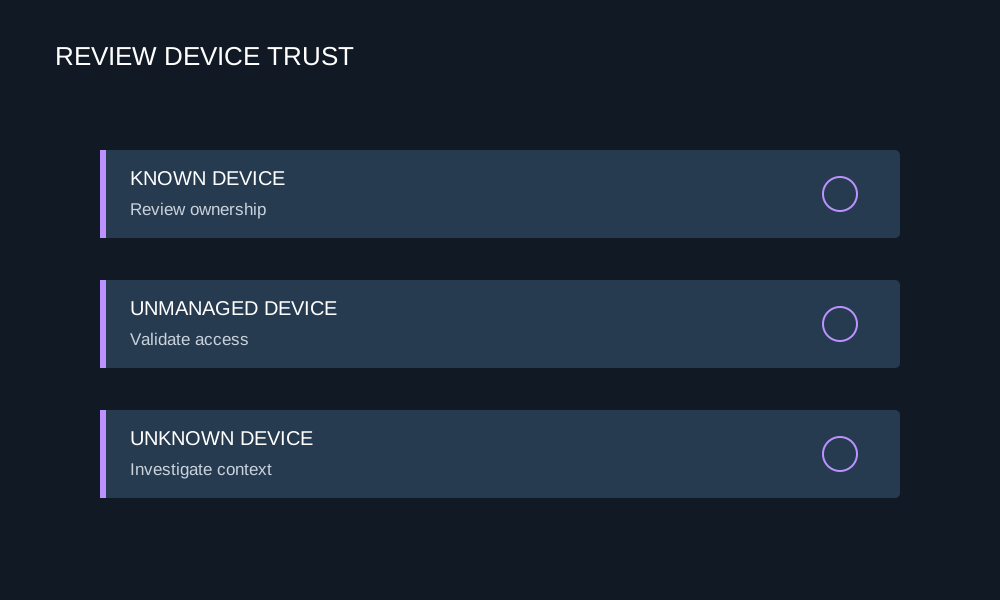
    Review

    Check ownership, access needs, and device context before deciding which connections should be trusted.

    Device trust review queue for known, unmanaged and unknown assets
  3. 03

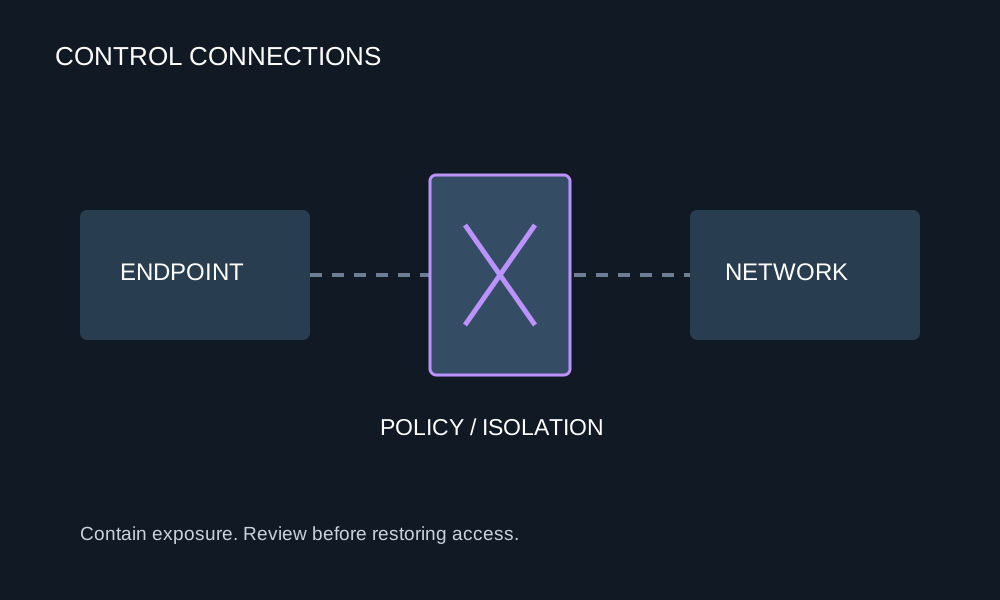
    Control

    Apply connection policies and isolation workflows to help contain exposure and coordinate recovery.

    Policy and isolation boundary between an endpoint and the network

Customer & industry focus

Security for the organizations that connect Yemen.

From telecom infrastructure to mobile services, explore local security priorities and the DeepSafer capabilities that address them.
Yemen Mobile telecommunications tower and site

Clearer context for connected devices.

Yemen Mobile

Mobile services & endpoint protection

Review devices and connections to help security teams understand what reaches the network and what needs follow-up.


Explore the solution
TeleYemen building and telecommunications tower

Asset visibility across telecom infrastructure.

TeleYemen

Telecommunications & infrastructure

Bring network equipment and unmanaged-device context together to identify coverage gaps and review access.


Explore the solution
YOU company building with its yellow facade and logo

Access decisions that support operations.

YOU

Yemen Omani United telecommunications

Review communication needs and coordinate connection policies and containment steps with operations teams.


Explore the solution

Why DeepSafer

Network visibility. More informed access decisions.

Bring device and connection context together to review access, investigate suspicious activity, and coordinate containment.
Connected Device Context

Connected Device Context

Bring connection and device information into a focused review workflow.

Network Policy Review

Network Policy Review

Review permitted communication and identify connections that need attention.

Practical Access Decisions

Practical Access Decisions

Use device ownership and business context to guide connection policies.

Contain Suspicious Connections

Contain Suspicious Connections

Use isolation workflows to limit exposure while an incident is investigated.

See Beyond the Managed Fleet

See Beyond the Managed Fleet

Discover network-connected equipment and investigate coverage gaps.

Platform Integration

One Platform. A Singular Advantage.

Futuristic UI mockup titled “Vigilant Platform” with neon platform, orb, labeled sections, and sidebar “DeepSafer”
01

From Detection to Prevention

Find exposures and stop the threats targeting them. Same AI-native agent. Same console.

02

Context That Drives Faster Response

Correlate exploit attempts with known vulnerabilities to prioritize response by real-world risk.

03

Consolidated Workflows. Fewer Tools.

Manage endpoint protection and vulnerability scanning from a single console. One place to investigate, prioritize, and act. No tool switching required.

Need Answers?

Frequently Asked Questions

Vigilant Network Control delivers real-time monitoring and dynamic policy enforcement across your entire network, giving you complete command over every data flow — from on-premise systems to remote endpoints.

It applies policies dynamically based on device location, user role, or connection type, and integrates natively with Windows, macOS, and Linux firewalls — so controls adapt automatically without any extra software.

Network Control automatically isolates the affected endpoint to stop lateral movement, using behavioral analytics and AI-driven threat intelligence to catch anomalies with minimal human intervention.

Very. You can define precise rules for both permitted and blocked traffic, including IP and FQDN-based rules, all managed from one centralized list of allowed and blacklisted communications.

Yes. Its location-aware firewall automatically tightens controls when a device connects off-site or to public networks, and relaxes them inside trusted environments — so protection follows the device everywhere.

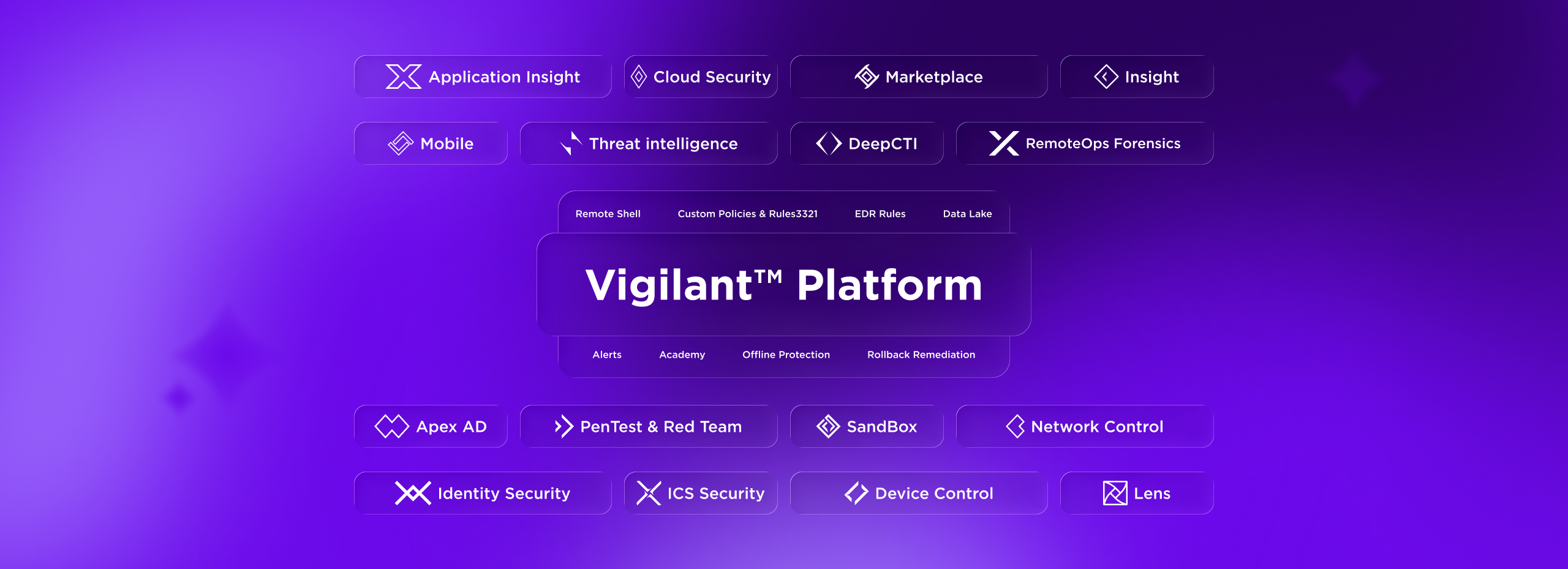
Network Control governs the connections of the devices Lens discovers, works alongside Device Control to close both network and physical paths, and feeds Insight the context it needs to investigate — delivering unified, end-to-end protection.

Decorative background gradient

Next Steps

Take Command of Every Connection.

Dark dashboard UI with purple-highlighted nav, summary cards showing 149, 7, 78, 56, 1.2 h, and a status table with linked purple text