
Vigilant Threat Intelligence

Know the Threat Before It Strikes.

Vigilant Threat Intelligence gives you the knowledge and tools to detect, analyze, and respond to cyber threats before they reach your business. It turns global threat data into clear, proactive defense for your organization.

Cybersecurity dashboard UI titled Dashboards; tabs include Overview… Vulnerabilities (selected). Open vulnerabilities chart and Top 10 risky apps table

Today's Reality

01
Man in gray sweater with white earbuds using an open dark laptop indoors; faint “4.5” marker and dotted panel overlay

Intelligence

Turn Global Threat Data Into Defense

Vigilant Threat Intelligence collects security data from endpoints, networks, cloud applications, and trusted third-party sources. It gives you real-time updates on known malware, ransomware, and emerging threats, so your defense is always based on the latest information.

  • Get real-time updates on malware, ransomware, and new threats

  • Draw on a massive threat library built from many trusted sources

  • Access detailed information on threat actors, attack patterns, and indicators of compromise

02
Security dashboard “Dashboards” with tabs (Vulnerabilities selected), “Last year” filter, three donut summary cards and a table of CVEs and scores

Context

Understand the Full Story of an Attack

Threat Intelligence links related events and activities into a single, clear narrative. This helps your team understand the full scope of an attack, from the first point of entry to lateral movement and impact.

  • Connect related events into one clear attack story

  • Trace an attack from initial entry to full impact

  • Attribute incidents to specific threat actors, malware types, and active campaigns

03
Dark security dashboard in a browser showing “Vulnerabilities” with a filter bar, CVE/severity chips, and a table listing assets and “Critical” alerts

Visibility

Watch Global Threats as They Happen

Live Threat Maps show global threats in real time. Your security team can monitor active attacks around the world and compare them with activity in your own environment, so you can see risks before they reach you.

  • View global threats in real time on live threat maps

  • Monitor active attacks worldwide as they unfold

  • Compare global activity with events in your own environment

04
Man with laptop on light green sofa in bright lobby; translucent overlay lines and faint “Oct. 2014” text near right center

Response

Act on Threats Automatically

Threat Intelligence works with Vigilant XDR to respond to threats the moment they are detected. Predefined actions, such as isolating affected systems or blocking malicious traffic, contain threats quickly and free your analysts for more important work.

  • Trigger automatic responses the moment a threat is detected

  • Isolate affected systems and block malicious traffic quickly

  • Free your analysts to focus on strategic decisions

Decorative background gradient

Get Started

Symmetrical 3D geometric open box of glossy translucent panels around a glowing light-blue cube on a white background

Use Cases

Your Defense. Always One Step Ahead.

Proactive, Not Reactive

The best time to stop an attack is before it starts. Real-time intelligence helps your team anticipate attack trends and strengthen defenses before a threat ever reaches your systems.

Abstract purple/blue 3D blocks with translucent panels and white grid outlines; faint text B0B0 and T1021 visible

Real-Time Data Feeds

Continuous data streams from trusted providers keep your intelligence current and relevant.

Explore the Platform
Purple smartphone protected by a translucent security shield

Anticipate Attacks

By knowing the latest attack trends, your team can strengthen defenses before threats arrive.

Explore the Platform
Futuristic blue-purple office scene: man at desk facing back-view monitor with Apple logo, overlay text T1486 T1602 443

Reduce Risk Early

Act on early warnings to lower your exposure before any damage occurs.

Explore the Platform

Threat intelligence in practice

Clearer indicators. Decisions with context.

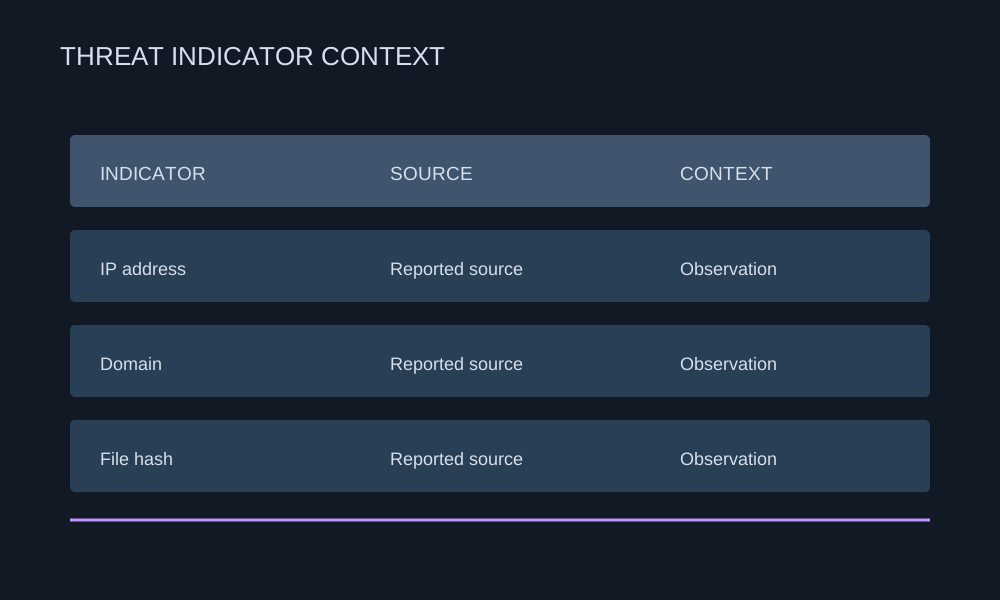
Vigilant Threat Intelligence helps teams review threat indicators and context, and identify what needs investigation or follow-up in their environment.

  1. 01

    Collect

    Bring together indicators and supporting information to start a focused investigation.

    Illustrative indicator types with reported sources and observation context
  2. 02

    Validate

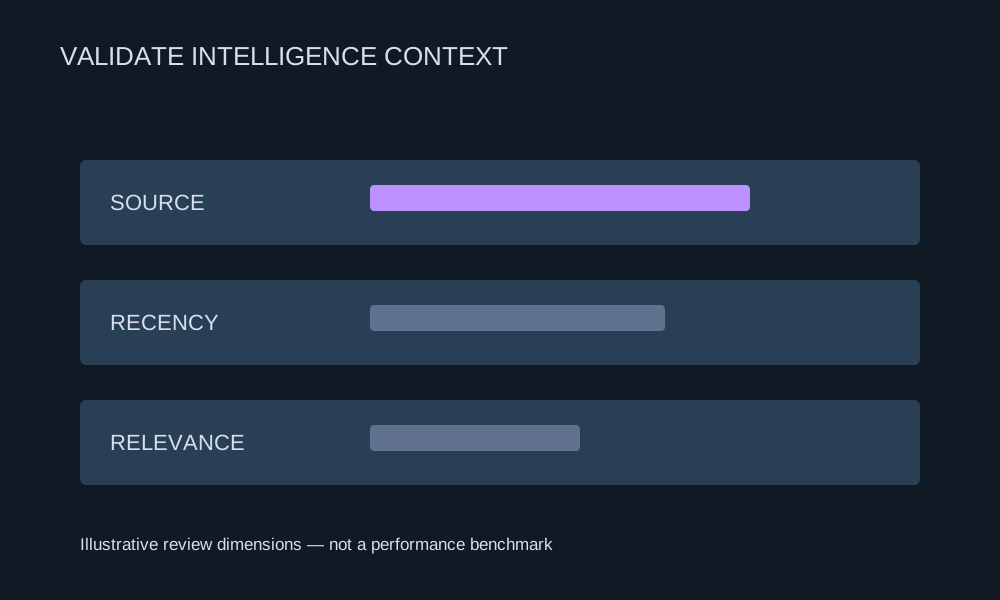
    Review source, recency, and relevance before deciding how a reported threat relates to your environment.

    Illustrative review dimensions for threat intelligence context
  3. 03

    Follow up

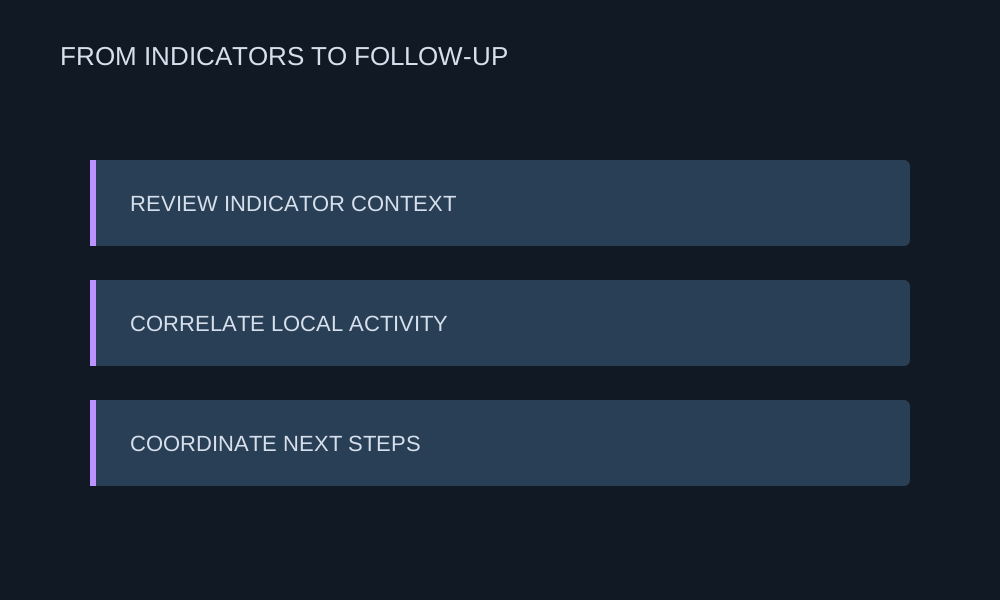
    Correlate relevant findings with local activity and coordinate next steps with security operations.

    Indicator review, local correlation, and coordinated follow-up

Customer & industry focus

Security for the organizations that connect Yemen.

From telecom infrastructure to mobile services, explore local security priorities and the DeepSafer capabilities that address them.
Yemen Mobile telecommunications tower and site

Threat context for protection teams.

Yemen Mobile

Mobile services & endpoint protection

Review indicators that may relate to telecom services and connect them with device context and local activity.


Explore the solution
TeleYemen building and telecommunications tower

Focused review of infrastructure risk.

TeleYemen

Telecommunications & infrastructure

Use indicator sources, recency, and context to guide investigation into relevant activity.


Explore the solution
YOU company building with its yellow facade and logo

Intelligence for discussion and follow-up.

YOU

Yemen Omani United telecommunications

Share relevant evidence with operations teams to review hypotheses and coordinate next steps.


Explore the solution

Why DeepSafer

Intelligence that helps focus the investigation.

Review indicators, sources, context, and recency to identify what needs follow-up with security operations.
Threat Signals in One Review Workflow

Threat Signals in One Review Workflow

Review indicators and supporting information without treating every reported signal as a confirmed incident.

Correlate With Your Environment

Correlate With Your Environment

Use local activity and asset context to understand whether an indicator is relevant to your organization.

Source and Recency Matter

Source and Recency Matter

Review where information comes from and when it was observed before deciding on follow-up.

Shared Context for Security Teams

Shared Context for Security Teams

Bring analysts and operations teams together around relevant evidence and a clear investigation question.

Support a Focused Hunting Workflow

Support a Focused Hunting Workflow

Use intelligence to frame hypotheses and investigate related activity across the organization.

Platform Integration

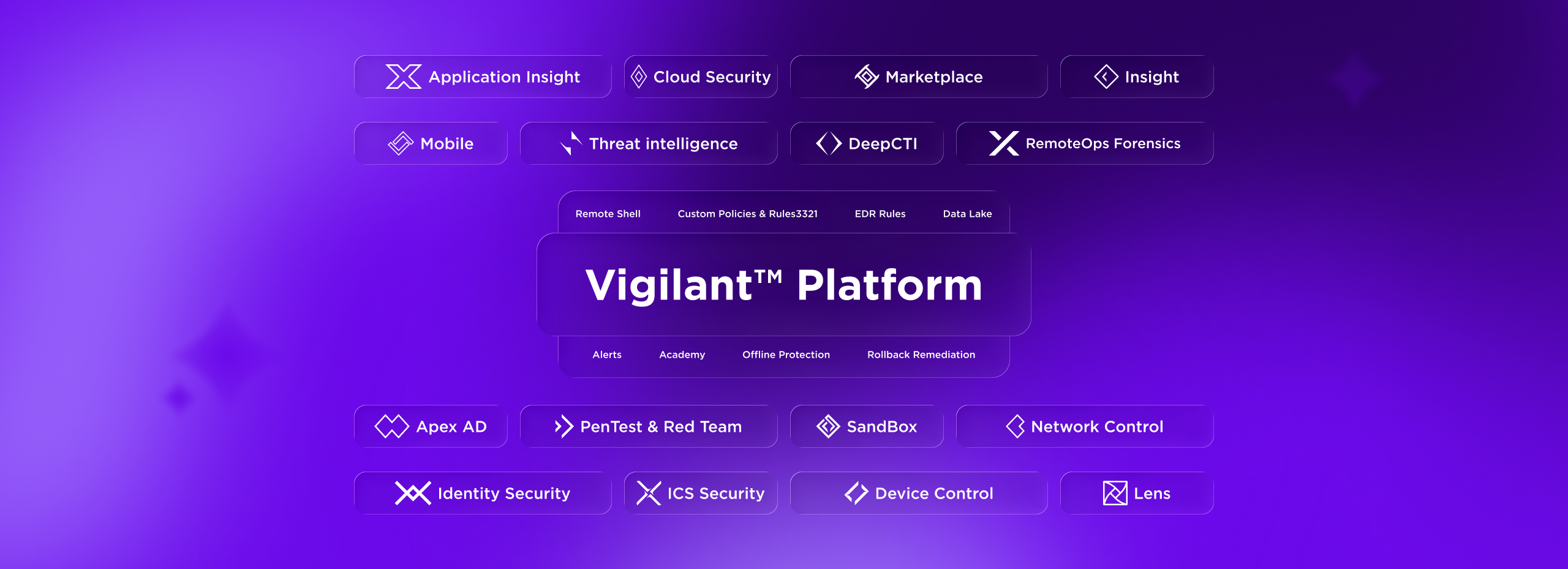
Stronger Together. One Platform, Zero Gaps.

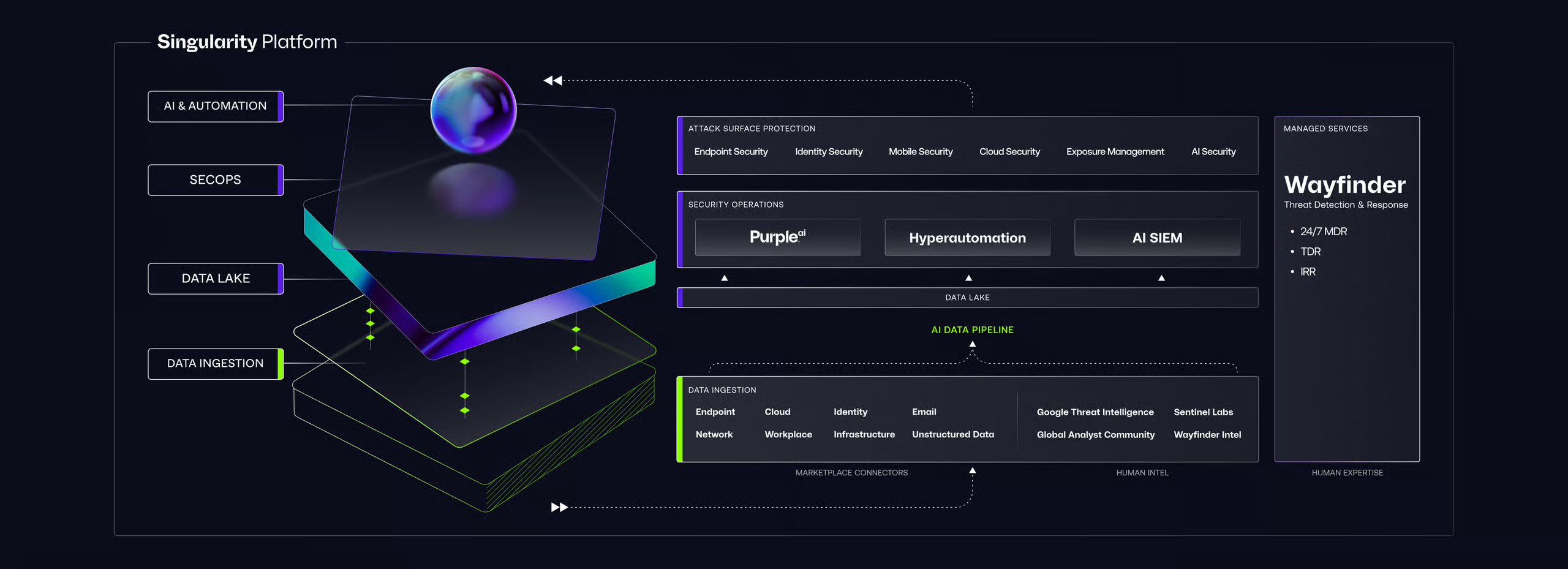
Futuristic UI mockup titled “Vigilant Platform” with neon platform, orb, labeled sections, and sidebar “DeepSafer”
01

Vigilant Insight

Threat Intelligence explains who is attacking and how, and Insight uses that context to hunt for the same activity inside your environment. Together they turn global data into real detection.

02

Vigilant Lens

Lens discovers every device on your network, and Threat Intelligence shows which of them are exposed to active threats. Together they help you focus protection where it matters most.

03

Vigilant Network Control

When Threat Intelligence identifies a threat, Network Control acts on it by isolating affected systems and blocking malicious traffic. Together they move from knowing about a threat to stopping it.

Getting Started

Gain the Advantage from Day One

Futuristic UI mockup titled “Vigilant Platform” with neon platform, orb, labeled sections, and sidebar “DeepSafer”
Setup

Activate with the Agent You Already Have

Enable vulnerability management across your fleet with a policy toggle. No new agents, no appliances, no deployment project.

Build

Configure Policies. See Results Immediately.

Set scan depth, scope, and frequency by policy. Vulnerabilities surface in real time alongside your endpoint data.

Evolve

Expand Coverage. Focus on What Matters.

Discover unmanaged assets, close deployment gaps, and refine prioritization as your environment grows.

Need Answers?

Frequently Asked Questions

Vigilant Threat Intelligence gives you real-time knowledge about cyber threats so you can detect, analyze, and respond to them before they impact your business. It turns global threat data into clear, proactive defense.

It aggregates security data from endpoints, networks, cloud applications, and trusted third-party sources. This gives you a broad and current view of the threats that matter to your organization.

Live Threat Maps show global threats in real time. Your team can watch active attacks around the world and compare them with activity in your own environment, helping you spot risks early.

Yes. Threat Intelligence links incidents to specific threat actors, malware types, and active campaigns. This attribution helps your team understand the intent and impact of each attack.

Yes. Working with Vigilant XDR, it can trigger predefined responses the moment a threat is detected, such as isolating affected systems or blocking malicious traffic, to contain threats quickly.

Threat Intelligence provides the context that powers the whole platform. It helps Insight hunt for known threats, shows which devices found by Lens are exposed, and directs Network Control to contain active attacks. Together they deliver unified, proactive protection.

Decorative background gradient

Next Steps

Turn Threat Knowledge Into Power.

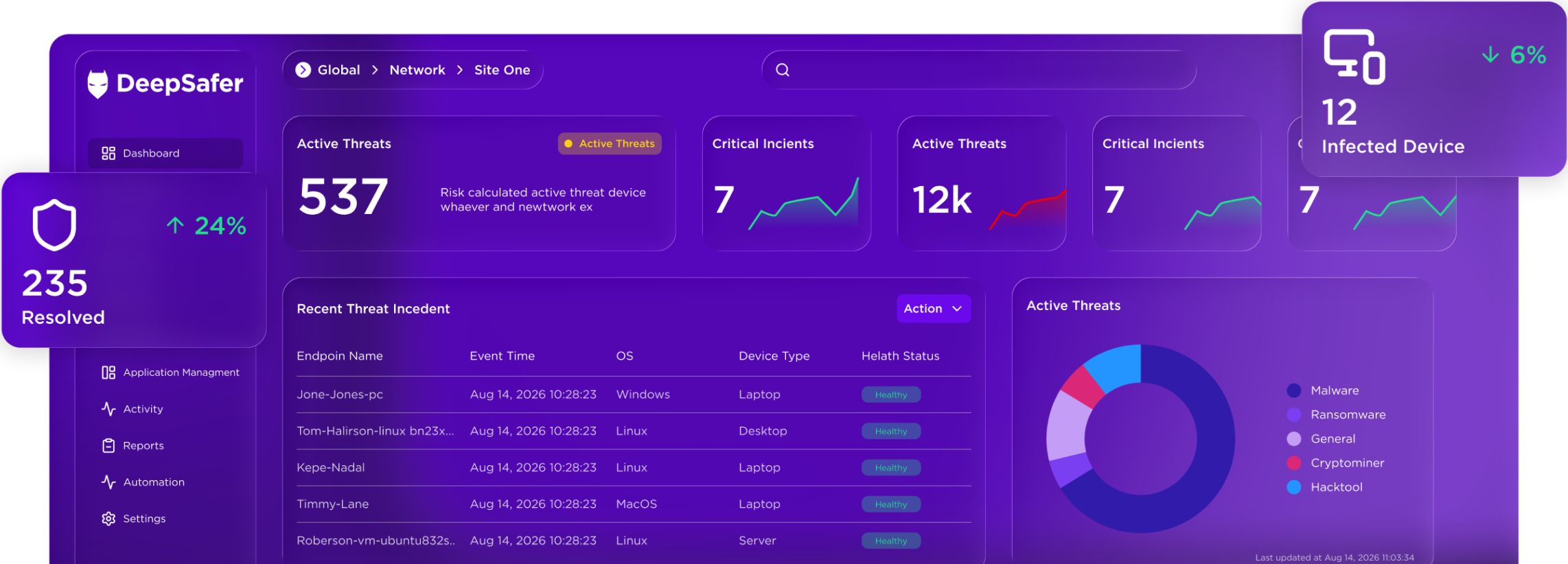
Dark dashboard UI with purple-highlighted nav, summary cards showing 149, 7, 78, 56, 1.2 h, and a status table with linked purple text